
For people who switched from Windows
How to Alt + Tab between windows on a Mac
The Mac switches between apps, not windows. Here is what it does have, and how to get the Windows way back.
Updated
On Windows, Alt + Tab shows every open window and lets you pick one. On a Mac the nearest key, Command + Tab, shows one icon for each app. If you have three browser windows open, you get one icon for the browser and no way to choose between the three. That is the part people miss.
What the Mac gives you
Command + Tab switches apps
Hold Command and tap Tab to step through your open apps. Let go to switch. It brings the app forward, usually with all of its windows.
Command + ` switches windows of one app
The key above Tab, next to the 1, cycles through the windows of the app you are in. So getting to a particular window can take two steps: Command + Tab to the app, then Command + ` to the window.
Mission Control shows everything
Press F3, or swipe up with three fingers on the trackpad, and every open window spreads out so you can click the one you want. It is the closest built in thing to seeing all your windows, but it is a full screen view you pick from with the mouse.
App Exposé shows one app’s windows
Press Control + Down arrow to see every window of the current app side by side.
Getting real Alt + Tab
If you want one shortcut that shows every window, with a picture of each, you need an app. Zestart is one. Hold Alt, tap Tab, and pick from live previews of everything you have open, most recent first.
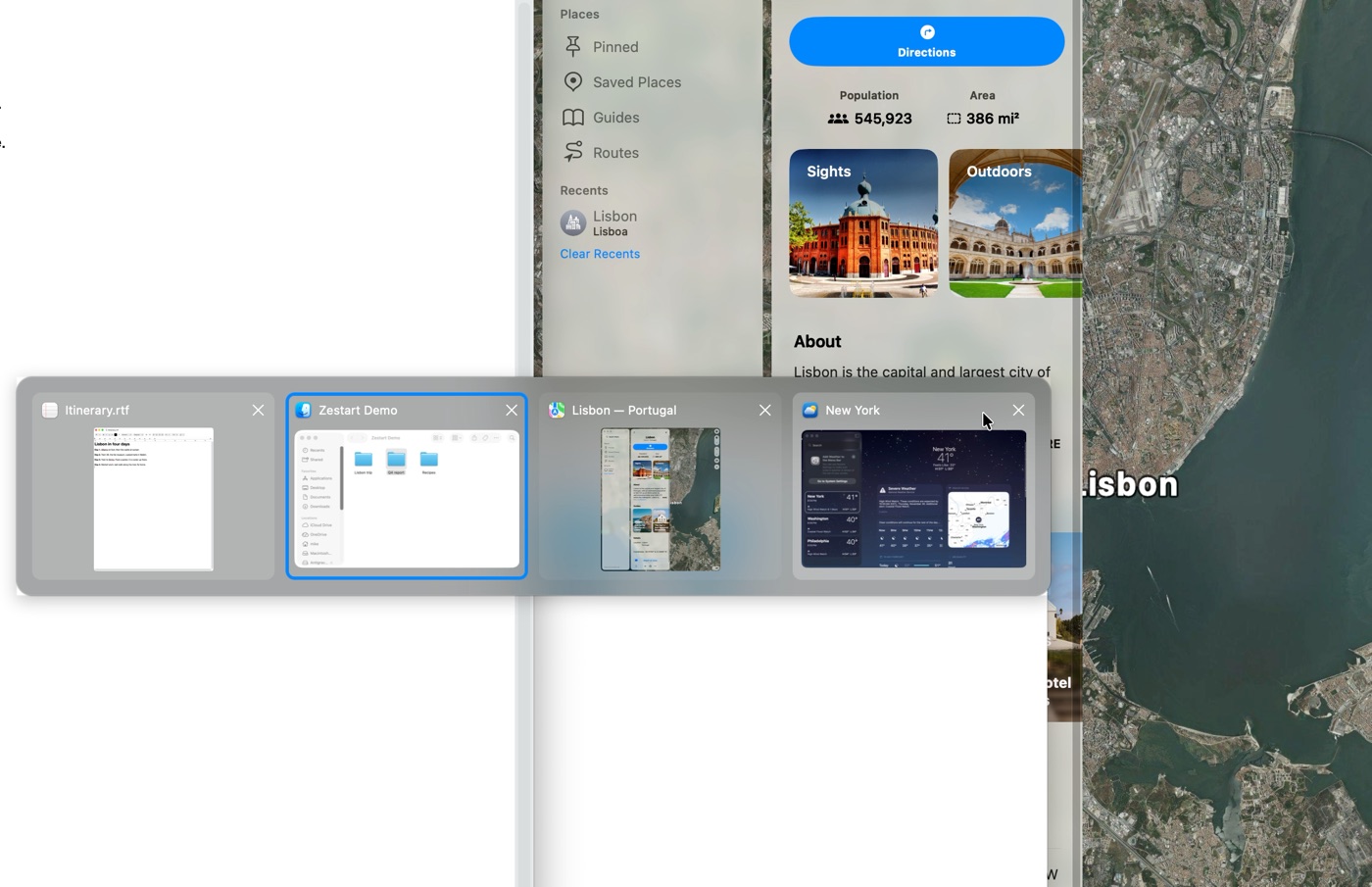
- Every window appears, not one icon per app.
- Each one is a live picture, so you can tell two documents apart.
- Arrow keys move the selection, Shift goes backwards and Esc cancels.
- It uses the Alt key position you already know. On a Mac keyboard that key is labelled Option.
Zestart also adds a taskbar, a Start menu, window snapping and Windows keyboard shortcuts. If Alt + Tab is the only thing you want, a single purpose app may suit you better, and our comparison page lists the alternatives honestly.
Fourteen days free. Every feature. No card.
Download the free trialMore for people coming from Windows
Getting a taskbar on a Mac. Cutting and pasting files on a Mac. The full list of differences is in Switching from Windows to Mac.
New to the Mac? Get the setup guide.
The 5 minute Mac setup for Windows switchers: the settings to change first, the keys that are different, and what to install. Free, by email, plus a short tip now and then. Unsubscribe any time.