
For people who switched from Windows
How to get a taskbar on a Mac
The Dock shows apps. A taskbar shows windows. Here is how far the Dock can go, and how to add a real taskbar.
Updated
The Windows taskbar gives every open window its own button, so you can see what is open and jump straight to it. The Mac’s Dock works differently: one icon per app, with a small dot underneath when the app is running. Three spreadsheets open means one icon and no sign of which is which.
Making the Dock work harder
See an app’s windows
Right-click an app in the Dock, or click and hold, to get a list of its open windows. Pick one to bring it forward.
Stop the Dock hiding things
In System Settings, open Desktop & Dock. There you can turn off automatic hiding, change its size, move it to the left or right edge, and choose whether minimized windows shrink into their app’s icon.
Use Mission Control for an overview
Press F3, or swipe up with three fingers, to see every open window at once.
These help, but none of them gives you a row of windows that stays put while you work.
Adding a real taskbar
Zestart puts a taskbar along the bottom of the screen. Open apps and windows live on it, in a place that never moves.
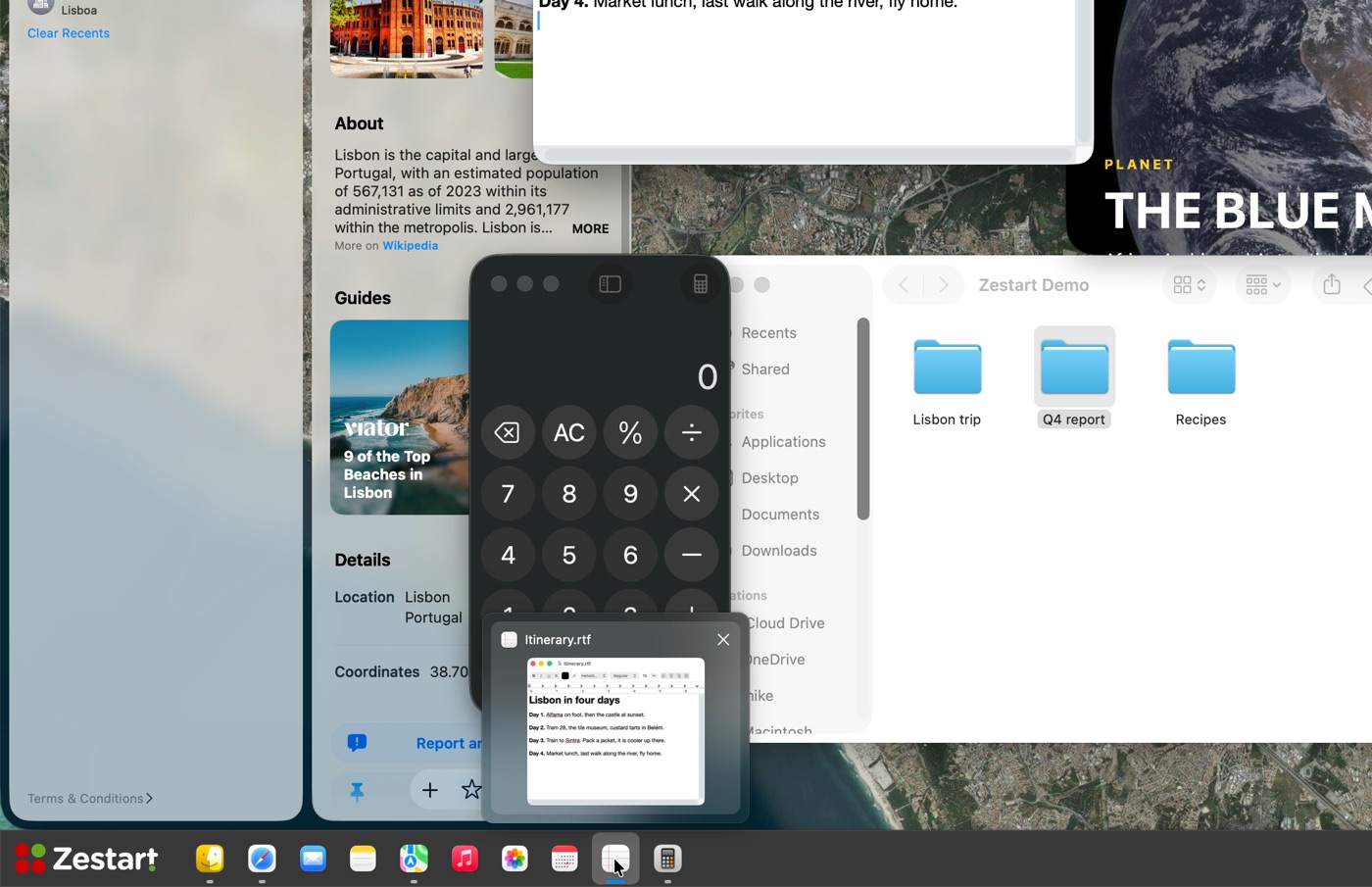
- Click an app to bring its window forward. Click again to tuck it away.
- Rest the mouse on an app for a live preview of its windows.
- Right-click for the files you had open recently.
- Pin apps and folders, and drag to rearrange them.
- A clock, the date and system meters sit at the right, as on Windows.
- If you have more than one monitor, each can have its own bar.
It works alongside the Dock. Most people set the Dock to hide and let the taskbar take over, but you can keep both. There are other taskbar apps for the Mac too, and our comparison page sets them side by side.
Fourteen days free. Every feature. No card.
Download the free trialMore for people coming from Windows
Alt + Tab between windows on a Mac. Cutting and pasting files on a Mac. The full list of differences is in Switching from Windows to Mac.
New to the Mac? Get the setup guide.
The 5 minute Mac setup for Windows switchers: the settings to change first, the keys that are different, and what to install. Free, by email, plus a short tip now and then. Unsubscribe any time.